
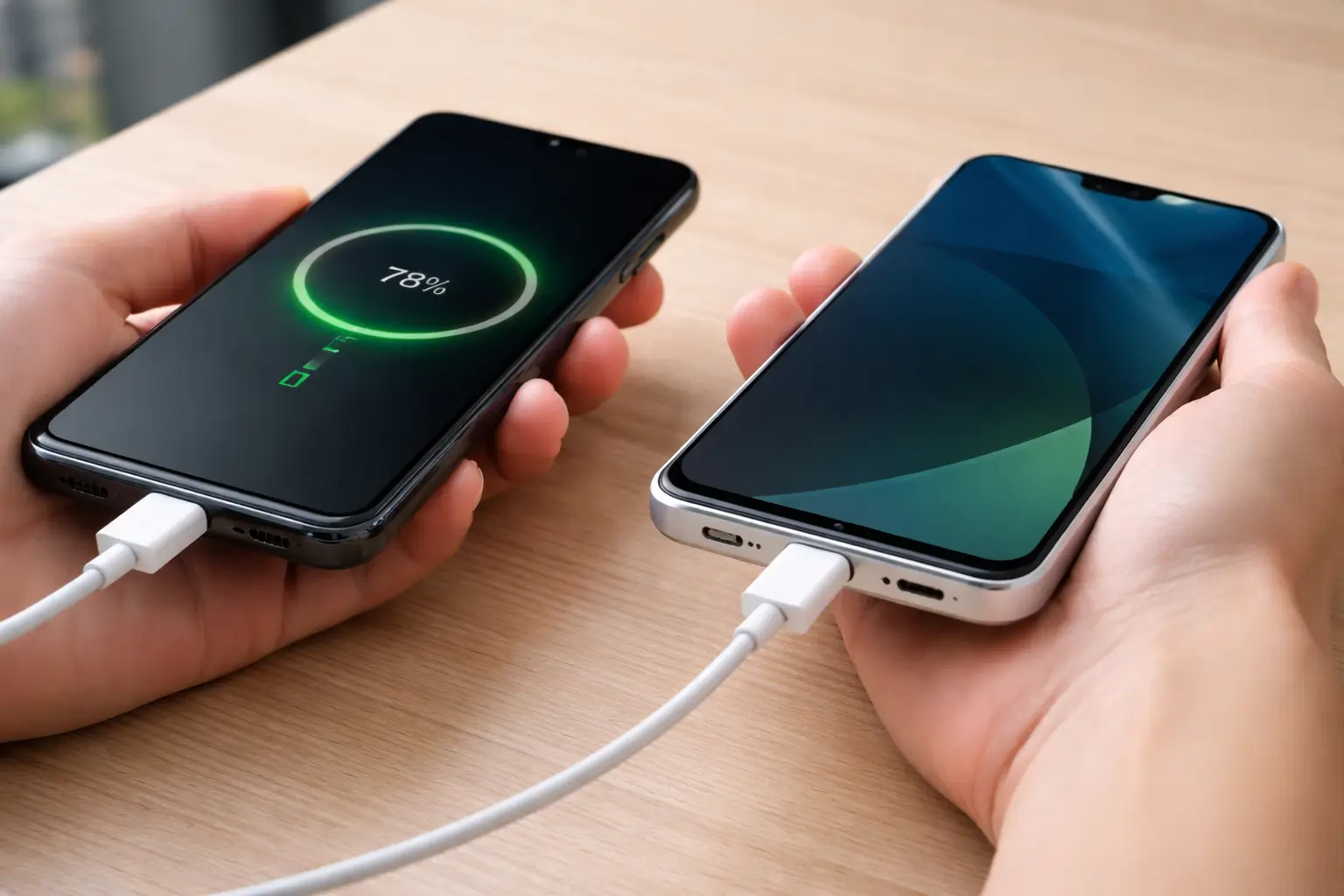

Charge phone without charger: this is not a trick, it is a real solution that can help you in a critical moment. When your battery drops to zero and you do not have access to a charger, you still have one option that many people ignore: using another phone as a power source. This method does not work in every situation, but when it does, it can save you from losing communication, missing important calls, or getting stuck without access to essential apps.
Most people search for ways to charge phone without charger because they need a fast answer. They do not want theory — they want something that works. The truth is simple: your phone needs specific hardware support, such as USB OTG or reverse charging. Without these features, no cable or trick will magically transfer power. That is why understanding how this method works is more important than just trying random solutions.
Another important detail is expectations. This method will not replace a traditional charger. It works slowly, and it drains the battery of the second phone. However, in an emergency, even a small amount of battery can make a big difference. You can send a message, make a call, or access navigation when you need it most.
In this guide, I will show you exactly how to charge a phone without a charger using another phone, step by step. You will learn what you need, how to make it work, and how to avoid common mistakes that prevent most users from getting results.
Can You Charge a Phone Without a Charger?
Yes, you can — but you need to understand how it actually works before you try. Many people search for ways to charge phone without charger, but they often skip the most important part: device compatibility. Not every phone can send power to another device, and this is where most attempts fail.
To charge a phone without a charger using another phone, your device must support a feature that allows power transfer. The two most common technologies are USB OTG and reverse charging. Without at least one of these, connecting two phones with a cable will do nothing.
USB OTG (On-The-Go)
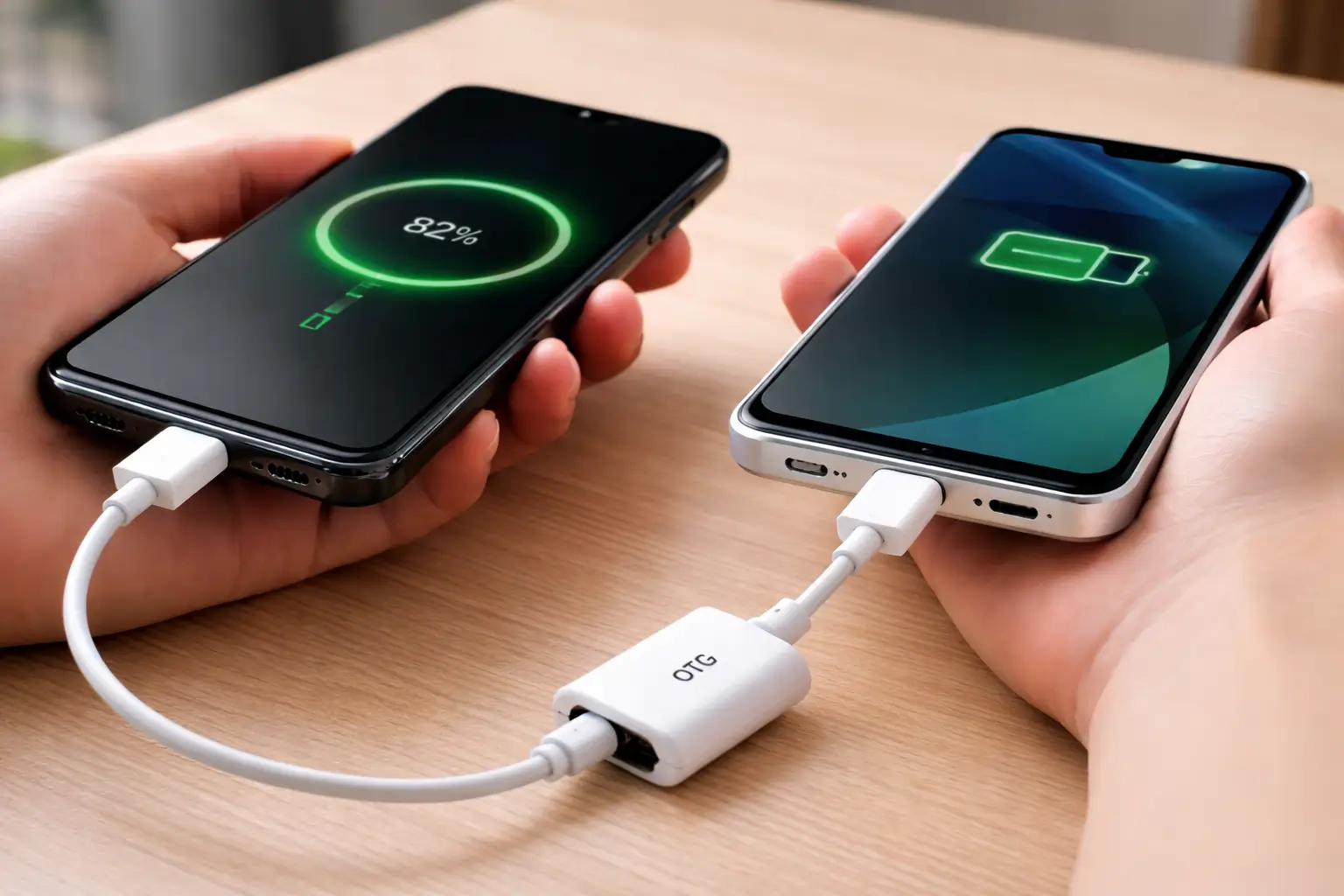
USB OTG lets your phone act like a power source instead of just receiving power. When you connect another device using an OTG adapter, your phone can push energy through the cable. This feature exists on many Android devices, but not all of them support power output. You need to check your phone’s specifications before relying on it.
Reverse Charging (Battery Sharing)
Reverse charging offers a more direct and user-friendly option. Some modern smartphones include built-in battery sharing, which allows you to transfer power without extra setup. You simply connect the devices or place them together if wireless reverse charging is available. This feature is more common on newer flagship phones.
If your phone does not support USB OTG power output or reverse charging, you cannot charge another device this way. No cable or trick will change that. Understanding this saves you time and helps you focus only on methods that actually work.
How to Charge a Phone Without a Charger Using Another Phone (Step-by-Step)
If you want to charge phone without charger using another device, you need to follow the right process. Many people connect two phones and expect it to work instantly, but they miss key steps. When you understand how power transfer works, the process becomes simple and reliable.
This method depends on one idea: one phone acts as the power source, and the other receives energy. You are not creating power — you are transferring it. That means you must control how both devices behave during the connection.
What You Need
Before you start, prepare everything properly. Skipping this step often leads to failure.
You need:
- Two smartphones (one with enough battery)
- A USB cable (USB-C to USB-C or USB-A to USB-C / Lightning)
- A USB OTG adapter (for most Android devices)
The quality of your cable matters more than most people think. A weak or damaged cable can block power transfer completely. Always use a reliable cable if possible.
Also, check your phones:
- At least one must support USB OTG power output or reverse charging
- The “source” phone should have enough battery (preferably above 30%)
If these conditions are not met, the process may not work.
Step 1 — Connect Both Phones Correctly
Start by turning on both devices. This may seem obvious, but power transfer often fails if one phone is off or locked in a restricted mode.
Now connect the devices:
- Plug the USB cable into both phones
- If you are using Android, attach the OTG adapter to the source phone
- Make sure the connection feels stable (loose cables cause interruptions)
At this point, nothing may happen yet — and that is normal.
The key idea here is control. The phone connected through the OTG adapter usually becomes the power source. If you connect the cable incorrectly, the direction of power may not activate.
Tip:
If nothing happens, flip the cable orientation or reconnect the OTG adapter. Some devices need a second attempt.
Step 2 — Enable Power Transfer Manually
Once both phones are connected, you need to confirm that power transfer is active.
On many Android devices, a notification appears immediately. It may show options like:
- “Charge connected device”
- “Power supply”
- “USB controlled by this device”
You need to select the correct option.
Choose:
Charge connected device
or
Supply power
This step is critical. If you skip it, the phones may stay connected without transferring energy.
Some newer phones handle this automatically. In that case, you will not see any prompt — the transfer starts in the background.
If nothing appears and no charging icon shows up:
- Your device may not support reverse charging
- The OTG function may be disabled
- The cable may not support power transfer
Tip:
Go into settings and search for “OTG” or “USB settings.” Some phones require manual activation.
Step 3 — Confirm Charging Is Working
After enabling power transfer, check both devices carefully.
On the receiving phone, you should see:
- a charging icon
- a battery animation
- or a notification indicating power input
On the source phone, you will notice:
- battery percentage slowly decreasing
- possible “power sharing” message
If you do not see these signs, disconnect and repeat the process.
Step 4 — Monitor the Charging Process
Now that the connection works, you need to manage it properly.
When you charge phone without charger using another phone, the process behaves differently from normal charging:
- charging speed is slower
- energy transfer is less efficient
- both devices may warm up
Because of this, you should follow simple rules:
- Do not use either phone heavily during charging
- Avoid running apps, videos, or games
- Keep both devices on a flat surface
- Stop the process if the phones get too hot
This method works best when both phones remain idle.
Step 5 — Use It Only for Emergencies
This is where most people misunderstand the method.
You can charge a phone using another phone, but you should not rely on this as a daily solution.
Why?
- it drains the source phone quickly
- it reduces overall battery efficiency
- it can increase device temperature
Instead, use it when you really need it:
- your battery is almost dead
- you need to make a call
- you need internet or maps
Even a small battery boost (5–10%) can be enough in these situations.
While trying to charge your phone without a charger, it is also important to stay aware of mobile security risks. Some threats can affect how your device behaves, as explained in our article on malware bypasses app store security.
Common Mistakes That Prevent Charging
Many users fail because of small mistakes.
Avoid these:
- using a cable that only transfers data
- forgetting to enable OTG
- connecting devices in the wrong direction
- expecting fast charging speeds
- using phones that do not support power output
When something does not work, do not assume the method is fake. Most of the time, the issue comes from compatibility or setup.
Important Limitations When You Charge Phone Without Charger
Before you try to charge phone without charger using another device, you need to understand the limitations. This method works, but it does not work for everyone, and it does not replace a normal charger. Some phones simply do not support USB OTG power output or reverse charging, which means the connection will fail no matter what cable you use. Charging speed is also much slower than standard wired charging, so you should only use this option in urgent situations. Another important point is battery drain. The source phone will lose power quickly, and both devices may heat up if you keep them connected for too long.
Not All Phones Support Charging Without a Charger
Not every device can charge phone without charger using another phone, and this is the first thing users need to understand. Many budget smartphones do not support OTG power output, even if they can connect to accessories. Some iPhones also have limited compatibility, especially when users try wired power transfer between two phones. Older devices often fail because they lack the hardware needed for reverse charging or stable USB OTG support. That is why checking your phone model matters before you try anything. If the device does not support power sharing, no cable, adapter, or setting will make this method work properly.
Why Charging Speed Is Slow Without a Charger
If you plan to charge phone without charger using another device, you need to set the right expectations. This method works, but it does not deliver fast results. Power transfer between two phones moves much slower than standard charging because the energy passes through limited output hardware. You will not see fast charging speeds, even if both devices support modern technology.
In most cases, the receiving phone gains battery slowly while the source phone loses power at a steady rate. This makes the process inefficient for long sessions. That is why you should treat this method as a short-term solution. Use it when you need just enough battery to make a call, send a message, or access essential apps. If you expect a full charge, you will likely feel disappointed.
Battery Drain and Heat When Charging Phone Without Charger
When you try to charge phone without charger using another device, you need to watch how both phones behave. The source phone loses battery quickly because it powers the other device, and that drain can surprise you if you do not pay attention. This process also generates heat, especially when you keep both phones connected for a longer time. Heat builds up because energy flows continuously through the cable, and both batteries work at the same time.
You should treat this method as a short emergency solution. Disconnect the phones as soon as you get enough charge to make a call or send a message. Keep both devices on a flat surface and avoid heavy use during the process. If you feel the phones getting too warm, stop immediately.
Alternative Ways to Charge a Phone Without a Charger
If you cannot charge phone without charger using another phone, do not worry — you still have practical options that work in real situations. The goal here is simple: get enough power to keep your phone alive when you do not have a wall charger. Each method below solves the same problem in a different way, and some of them work better depending on where you are.
Use a Power Bank
A power bank is the most reliable way to charge your phone without a charger. It stores energy in advance, so you can use it anytime, anywhere. When you need to charge phone without charger, a power bank gives you a stable and predictable result.
Most modern power banks support:
- fast charging
- multiple USB ports
- high battery capacity
This means you can charge your phone more than once before the power bank runs out. Unlike charging from another phone, a power bank does not drain your main device, which makes it a much safer option.
If you often find yourself without a charger, carrying a power bank is one of the smartest decisions you can make. It removes uncertainty and gives you full control over your battery situation.
Charge via Laptop or PC
Another simple way to charge your phone without a charger is by using a laptop or desktop computer. Almost every computer includes USB ports that can deliver power to connected devices.
To use this method:
- connect your phone with a USB cable
- make sure the computer is turned on
- keep the connection stable
This option works well when you are at home, in an office, or in a public place like a library. However, you need to understand one limitation: charging speed is slow. USB ports on computers do not deliver as much power as wall chargers.
Even with that limitation, this method remains useful. If your battery is low and you have access to a computer, you can still recover enough charge to continue using your phone.
Use a Car USB Port
When you are traveling, your car can become your charging station. Many vehicles include built-in USB ports, and even older cars can support charging through a simple adapter.
To charge your phone:
- plug your cable into the car’s USB port
- or use a cigarette lighter adapter
- keep the engine running for consistent power
This method works especially well during long trips. You can charge your device while driving, which makes it both practical and efficient. Compared to charging from another phone, this option provides more stable power and does not risk draining a second device.
Which Option Is Best to Charge Phone Without Charger?
If you compare all methods, the difference becomes clear:
- Power bank → best overall solution
- Laptop or PC → useful in indoor environments
- Car USB → ideal while traveling
Each option solves the same problem in a different context. When you cannot charge phone without charger using another phone, these alternatives give you reliable ways to stay connected without relying on guesswork or risky methods
When Should You Charge Phone Without Charger Using Another Phone?
You should use this method only when you truly need it. If you try to charge phone without charger using another device, you need to understand that this is not a normal charging routine. It works, but it solves a specific problem: getting just enough battery when you have no other option.
The best moment to use this method is when your battery is critically low and you do not have access to a wall charger, power bank, or any standard power source. In that situation, even a small amount of charge can make a big difference. You can send a message, make a call, or use navigation to reach your destination.
Another important condition is availability. You need a second phone that supports power transfer and has enough battery to share. Without that, the method cannot work, no matter what cable you use.
You should not rely on this as a daily habit. When you repeatedly try to charge phone without charger using another phone, you put stress on both batteries and reduce efficiency over time. This approach also drains the source phone quickly, which can leave you with two devices running out of power instead of one.
Think of this method as a backup plan. Use it only in urgent situations, when you need a quick solution and nothing else is available.
USB power transfer follows standard protocols defined by the USB organization
Expert Tips to Charge Phone Without Charger More Effectively
If you want to charge phone without charger using another device and get reliable results, small details make a big difference. Many people think the method fails, but in reality, they ignore simple factors that affect power transfer.
Start with the cable. A high-quality cable improves stability and reduces energy loss. Cheap or damaged cables often limit the current, which slows down charging or stops it completely. Always use a cable that supports both data and power transfer.
Next, avoid using both phones while they are connected. When you open apps, stream videos, or keep the screen active, you increase power consumption. This reduces the amount of energy that actually reaches the receiving phone. If you want the process to work efficiently, keep both devices idle and let the power flow without interruption.
Temperature also matters. When you try to charge phone without charger through another phone, both devices generate heat. Place them on a flat surface and keep them in a cool environment. Do not cover them or leave them under direct sunlight. Heat reduces battery efficiency and can interrupt the charging process.
Finally, disconnect as soon as you reach a usable battery level. You do not need a full charge. Even a small boost can solve your problem. Keeping the devices connected for too long only drains the source phone and increases heat, which is unnecessary.
⚠️ Does Charging a Phone With Another Phone Damage the Battery?
Charging a phone with another phone — often called reverse charging — sounds convenient, but you need to understand what really happens. The short answer is: it does not immediately damage your battery, but it can increase wear if you use it too often.
When you use reverse charging, your main phone acts like a power source. That means it is discharging faster than normal while also managing heat and power transfer. This extra workload puts more stress on the battery. Over time, repeated stress can reduce battery health slightly faster than regular use.
Heat is the biggest concern. Batteries do not like high temperatures. When you connect two phones and start charging, both devices can warm up, especially if you are using them at the same time. Higher heat levels can speed up battery degradation, which affects long-term performance.
Efficiency is another issue. Reverse charging is not very efficient. Some energy gets lost during transfer, so your main phone loses more battery than the second phone gains. That makes it useful in emergencies, but not ideal for daily use.
The good news is that modern smartphones include protection systems. They regulate power flow, prevent overheating, and stop charging when necessary. So using reverse charging occasionally is safe.
The real answer is simple: use it when you need it, not as a habit. If you rely on it every day, you may notice faster battery wear. But if you use it occasionally, your battery will be fine.
Executive Summary
Charging a phone without a charger using another phone is possible through USB OTG or reverse charging features. The process involves connecting two devices and enabling power transfer. While this method works, it is slow and depends on device compatibility. It should only be used in emergency situations when no charger is available. For long-term use, alternatives like power banks or USB charging are more reliable.
